
# The "System Image (Constellation)" Tool
Keywords: System image, constellation, systemic work, figures, dynamics, coaching tool, visualization
The System Image is a flexible visualization tool for representing relationships, roles, and dynamics within a social or organizational system. It is based on the method of systemic constellations and is ideally suited for mapping both current (as-is) situations and desired (target) states.
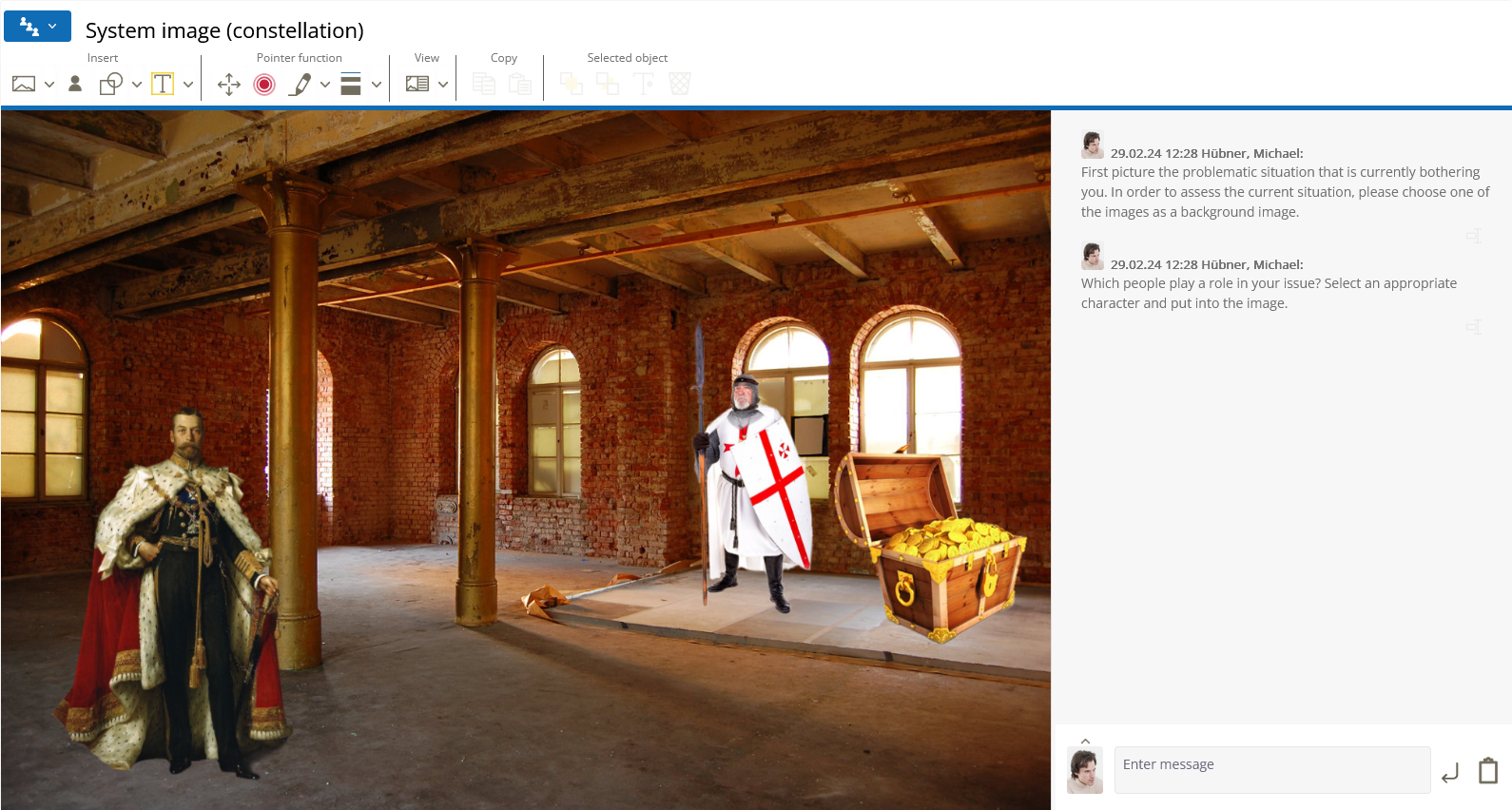
Shows what otherwise remains hidden
In complex structures, dynamics are often not recognizable at first glance. The tool provides visual access to these connections and makes visible what otherwise remains hidden: closeness and distance, power dynamics, and tensions within the system. By spatially arranging system members, new perspectives on complex relationships emerge intuitively.
# Tool-Specific Buttons
The specific functions in the System Image toolbar allow for an individual design of the scenery – from simple figures on a neutral background to symbolically differentiated representations.
# image Select Background Image
System images with a neutral background focus entirely on the figures and their relationships. Alternatively, choosing a fitting background can significantly influence the effect of the scene.
Example: A desired change in state may be much easier to work through in a relaxed beach setting than in a barren desert environment.
# image Custom Background Image
You can upload and use your own images. This is particularly valuable when clients wish to use their own photos or specific environments to establish a very personal connection to the constellation.
# person Select and Insert Figure
The tool offers a wide selection of representatives:
- People: Feminine and masculine representations, children, and teenagers.
- Symbolic Figures: Role archetypes such as knights, wizards, or queens.
- Animals: A trip into the animal kingdom (e.g., lion, elephant, or snake) can provide the desired level of abstraction.
- Symbols: Objects such as a compass or a lifebuoy.
- Relationship Elements: Lines and symbols to clarify connections.
Special Functions of the Figures
Some figures in the System Image are rotatable (see the "Rotatable" tab). They can face different directions and be aligned within the space.
This allows the System Image to cover a key function of the more extensive System Board 3D tool. While the System Image exclusively uses a two-dimensional top-down view, the System Board 3D additionally allows for a direct "first-person" perspective through the eyes of a figure, as well as completely variable camera angles.
# Further Information
Related Topics
Basic operations (placing elements, moving, deleting) are shared by all graphical tools. You can find details here: General Functions of Graphical Tools